1.Log in to your dashboard--> layout- -> Page elements
2.Click on "Add a Gadget"
3.Select 'HTML/Javascript' and add the code given below and click save.
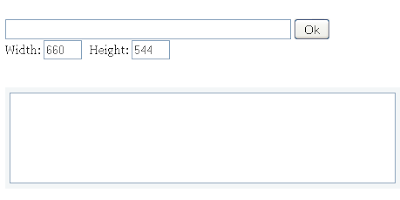
Now you are done.Look at the picture below.

How To Make Comment Bubble At Top Of Blogger Posts,as you have seen it using in many blogs and i am sure you would not be knowing how to make and show that comment bubble count and link at top of the blogger post.So that's why i am here to make you learn it [...]
Do you like to add a good looking Subscribe section to your blog?Then simply follow the steps below. 1.Login to your blogger dashboard--> layout- -> Edit HTML 2.Scroll down to where you see tag . 3.Copy below code and paste it just before the [...]
I tried to edit the blogger code to make this possible but all in vain. Thus, I used JavaScript to show more than 5 recent posts. [...]
1.Login to your blogger dashboard--> layout- -> Edit HTML 2.Scroll down to where you see tag . 3.Copy below code and paste it just before the tag [...]
Small Read More Buttons. Download Here : Small Read More Buttons. (12.4 KiB, 529 hits) Large Read More Buttons. Download Here : Large Read More Buttons.zip (108.1 KiB, 692 hits) Customize Blogger “Read More” / “Jump Breaks” [...]
|
|
|
| read more |
|---|


Back to TOP